
Log your hours. Turn them into invoices.
Record tasks, hours or units, and rates with or without a project. Mark client work billable, review it for invoicing, or start a contractor payment from an entry.
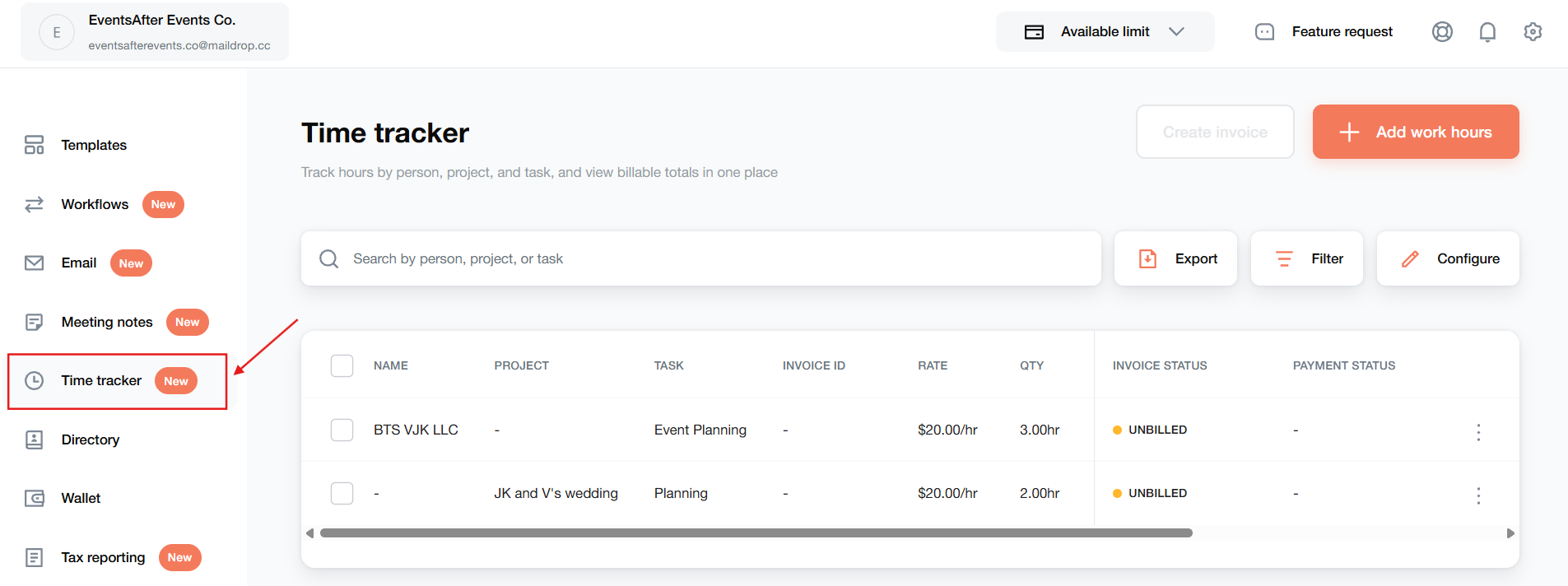
Record the work while it is fresh.
Add the task, quantity, rate and completion date. Include a worker or contractor and a project when they are relevant.
Separate billable work.
Mark entries billable when you intend to invoice the client. Only billable entries can be used to create an invoice.
Keep billing and payment distinct.
Use the entry to start the relevant invoice or contractor-payment flow. Review the next step before sending or paying.
Add the task, hours and rate.
Open Time Tracker from the sidebar or inside a project and choose Add work hours. Enter the task, hourly or unit-based rate, quantity, completion date and billable status. For example, 5 hours at $30 per hour is $150. These are illustrative values; use the actual agreed rate for your work.
Review billable work for invoicing.
Select eligible billable entries and choose Create invoice. Review the itemized invoice and complete the normal invoice flow before sending it to the client. Marking an entry billable is a preparation step; it does not send the invoice or collect payment.
Start a contractor payment separately.
For recorded contractor work, use the entry’s payment action to start the payment flow. Review the recipient, amount and payment details before continuing. Client invoicing and contractor payment are separate actions; starting a payment does not establish that it has settled.
Work from a project or the main list.
Create an entry within a project to keep it connected to that work. Or use the main Time Tracker for work that does not belong to a project. The two views are connected, so project entries are also available in the main list.
A few things to know.
Is this a running stopwatch?
You record completed work by entering the quantity and rate manually.
Can I record units instead of hours?
Yes. Choose the unit-based rate type and enter the quantity and rate for the work.
Do entries need a project?
No. A project is optional when you create an entry from the main Time Tracker. Entries created inside a project are associated with that project.
Can I invoice non-billable work?
Only entries marked billable can be used to create an invoice. Check the billable setting before beginning the invoice flow.
Can I correct an entry?
Open the entry’s Actions menu and choose Edit. Change the relevant details, then save your changes.