
Make your offer easy to understand—and accept.
Present your services, itemized pricing and payment schedule in a quote your client can review online. Share a quote-template link and see accepted quotes in Maroo.
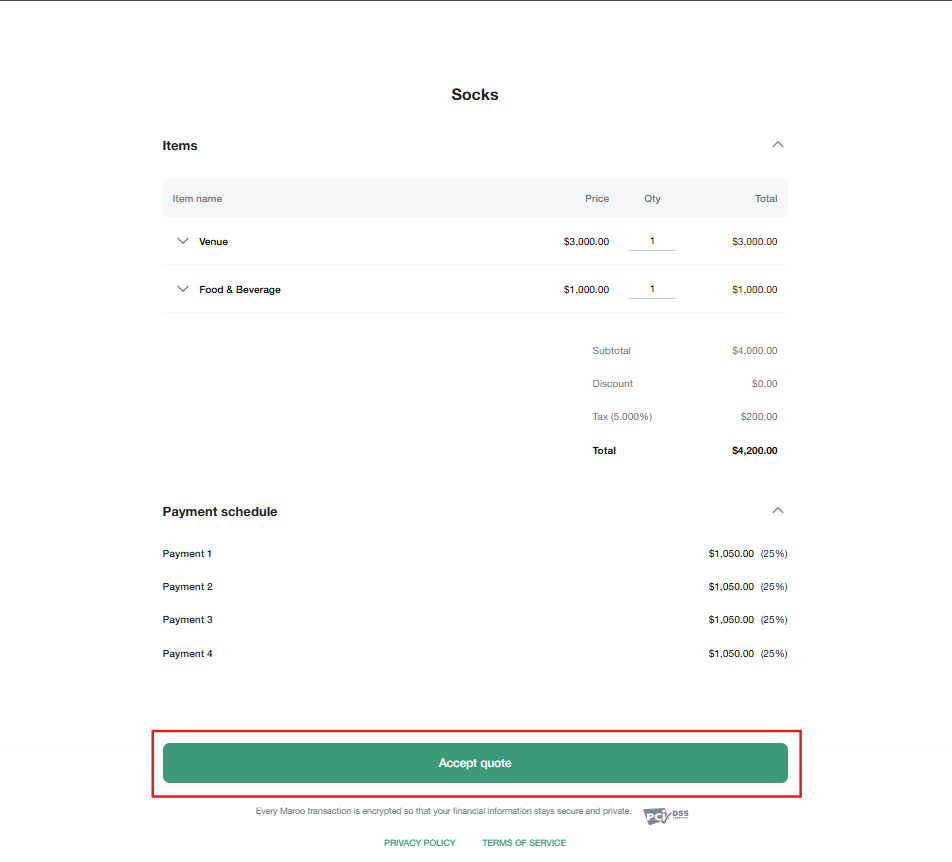
Show what the offer includes.
List services, quantities and prices together so your client can review the scope and total before accepting.
Explain the payment schedule.
Add payment milestones and due dates to the quote. Your client can review the proposed terms alongside the offer.
See acceptance in Maroo.
When a client accepts through the shared link, their name and email are saved and the quote appears in Accepted Quotes.
Start with a template you can reuse.
Create a quote template with line items, taxes and a payment schedule, or choose a pre-built template from Maroo’s Template Library. Adjust it for your services. Add or replace its cover image using the template’s image controls.
Make the dates part of the conversation.
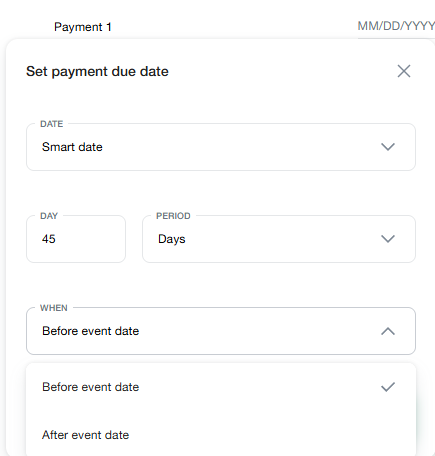
Configure each payment’s due date before sharing your quote. Options include invoice date, event date and Smart Date rules relative to the event. Review amounts and dates before saving or sending. A payment schedule on a quote describes the proposed terms; accepting the quote does not itself collect a payment.
Share the link. Let your client review it.
Copy the link from the quote-template success screen or template details. Share it through your preferred communication channel. The client reviews the quote, supplies their name and email address, and accepts online. Maroo then records the acceptance.
Bring the accepted offer into the work.
You can create a project from an eligible quote, then connect additional documents inside the project. Prepare your contract and invoice as the booking moves forward; review each document and use its normal sending flow.
A few things to know.
Can I reuse a quote?
Yes. Save the quote as a template and reuse it when preparing another offer. You can also start from a pre-built quote template.
Can I add a cover image?
Yes. The template image controls let you add, replace or remove a quote-template cover image.
Can I share a quote outside Maroo?
Yes. Copy the quote-template link and share it by email, text message or another channel. The client can view and accept through that link.
What does the client provide when accepting?
The acceptance page asks for a name and email address. Once accepted, those details are saved with the quote.
Can clients see the payment schedule before accepting?
Yes. Review your payment amounts and due dates before sharing; they appear on the quote for your client to review.
What happens after a client accepts?
The quote appears in Accepted Quotes with the client’s name and email address. When you are ready, create a project from an eligible quote and prepare the documents for the next step.