
Send client emails from the project.
Connect Gmail to email clients and contractors from a lead, a project, or the Emails tab. Replies appear in Maroo when recipients use Reply All and keep the Maroo CC address.
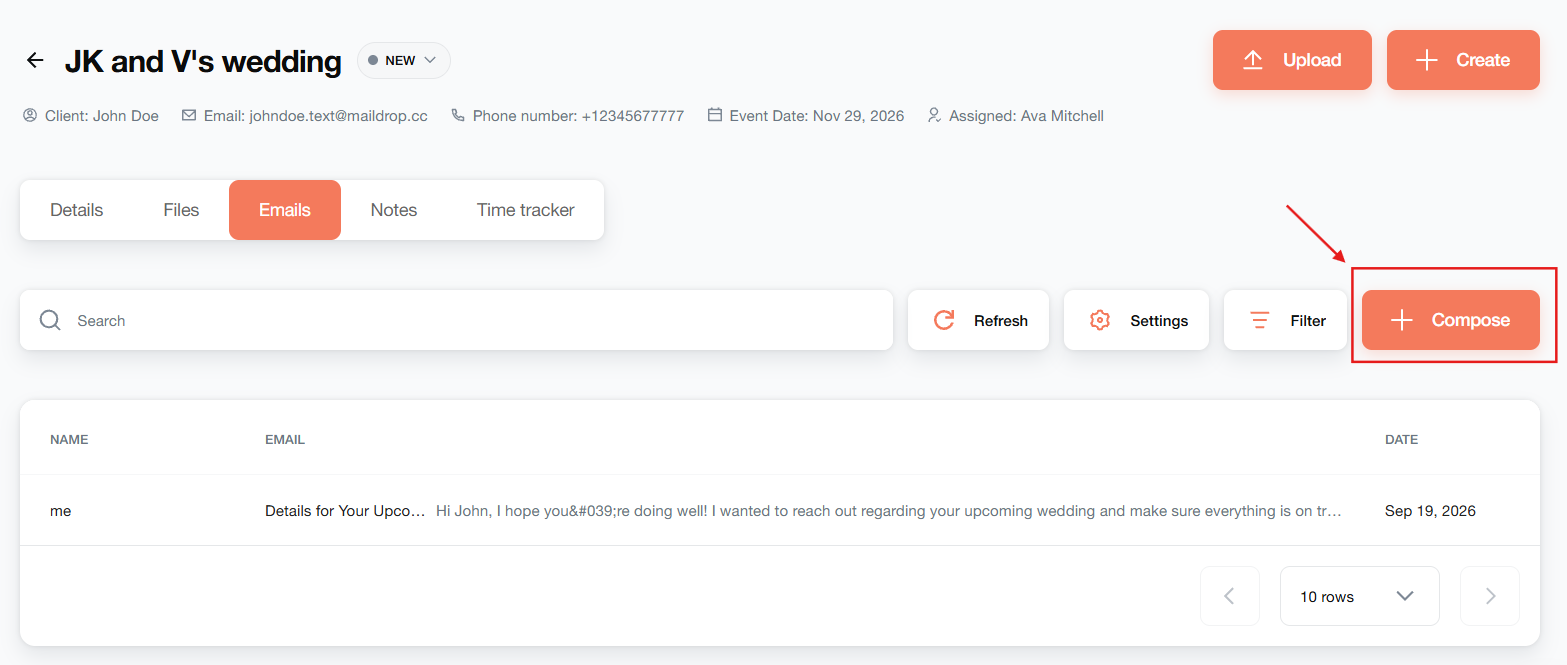
Write with the work in view.
Open the project’s Emails tab to compose a message with the client’s address already filled in. Keep your message connected to the project.
Send from your Gmail address.
Use your connected Gmail account to communicate with clients and contractors while you work in Maroo.
Find the conversation again.
Review project emails in that project or in the main Emails section. Captured replies stay available alongside the work.
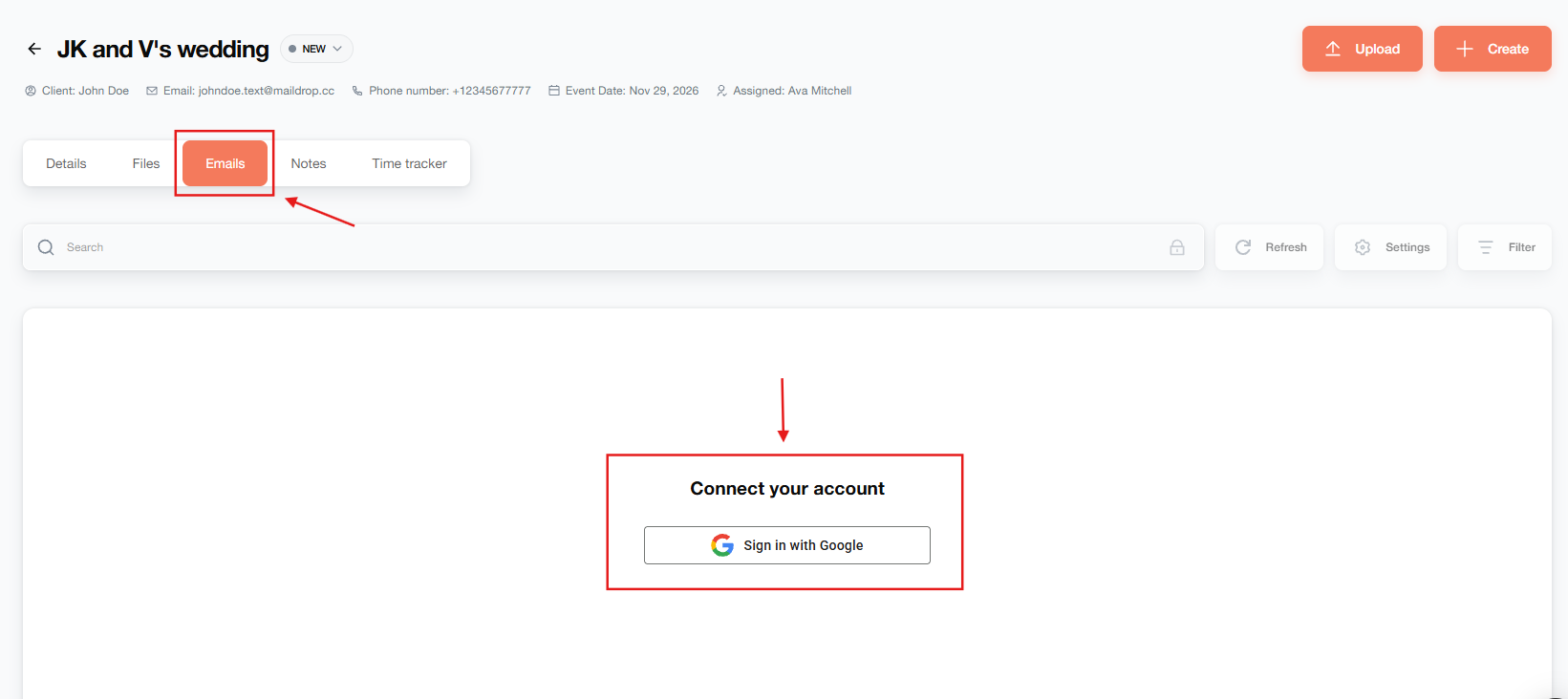
Connect Gmail where you work.
Connect your Gmail account from a project, the Emails tab, or Settings → Integrations. Follow Google’s authorization prompts, then set up your signature. Once connected, you can compose messages using your Gmail address.
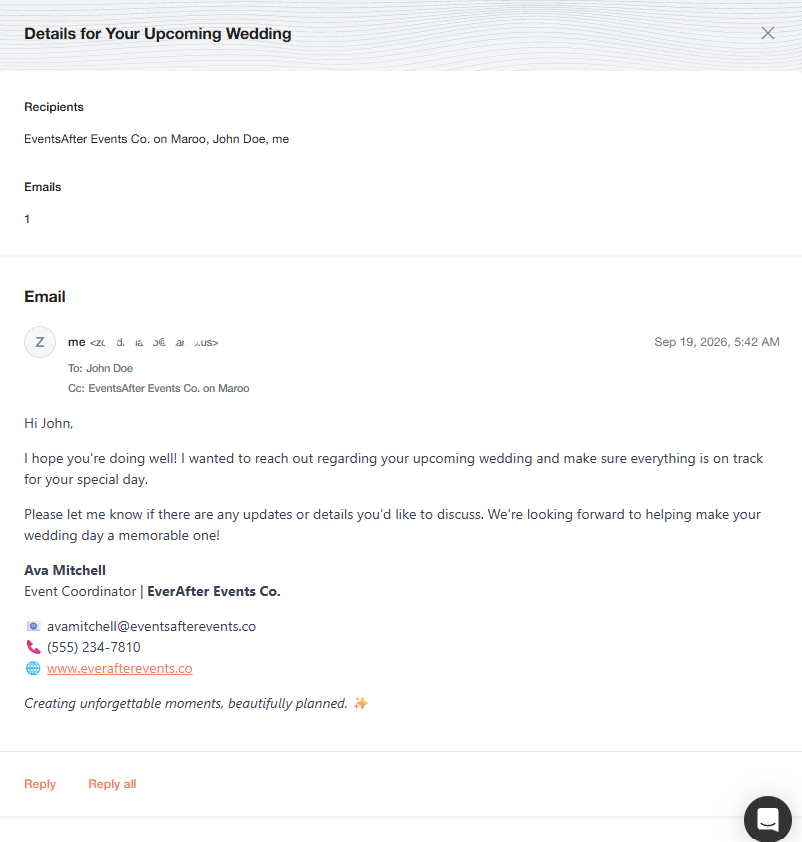
Send the message. Keep the CC on replies.
Compose your message, review the recipient and subject, then send. Maroo includes a CC address so it can capture the reply. Ask your client or contractor to use Reply All and retain that address: a response that omits the Maroo CC is not captured in Maroo.
Follow up on an inquiry. Continue inside a project.
Open a lead to send a follow-up email. For booked work, compose from the project’s Emails tab so the message is associated with that project. These are separate entry points; choose the record you are working on.
A few things to know.
Which email provider can I connect?
Connect your Gmail account and authorize Maroo before composing email.
Are messages sent from my email address?
Yes. Maroo sends through your connected Gmail account using your Gmail address.
Why does the recipient need Reply All?
Maroo uses the CC address on the outgoing message to capture replies. Ask recipients to use Reply All and keep the Maroo CC. If that address is removed, that response will not appear in Maroo.
Where can I find messages sent from a project?
Open the project’s Emails tab or the main Emails section. Messages composed from a project remain associated with that project.
Can I use a signature?
Yes. The connection guide includes signature setup after authorizing your Gmail account.