01
Find answers while the client is on the phone.
Open their project to find the quote, contract, invoices and event details together. Get the context you need for the conversation.

Bring your client details, documents, files and conversations together. Keep every wedding or event organized from the first inquiry to the final delivery.
Open their project to find the quote, contract, invoices and event details together. Get the context you need for the conversation.
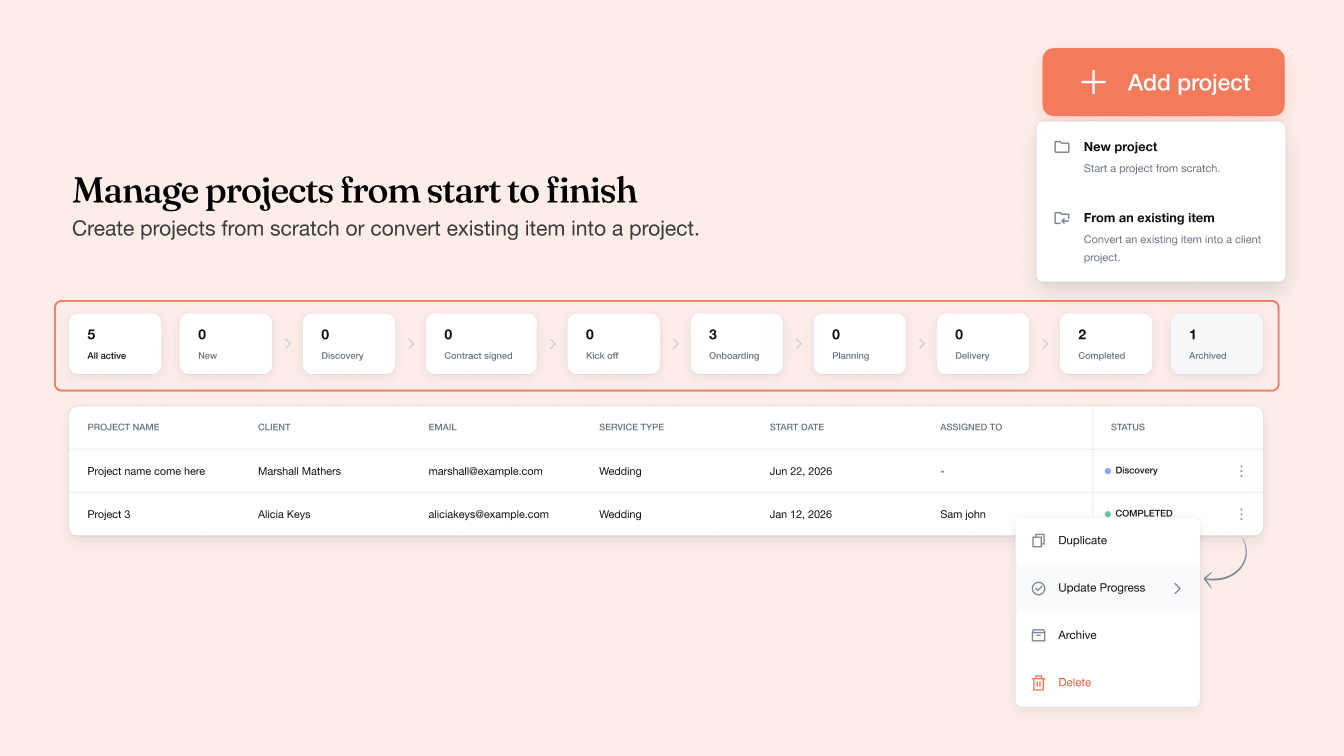
Review projects by stage to see what is in discovery, planning or delivery. Decide where to focus as you manage several events at once.
Keep the assigned teammate, contacts, files, notes and activity in the project, so the next person can get up to speed.
Keep the event date, client contacts and assigned teammate alongside the work. Files, notes and activity history give your team the context to pick up where you left off.
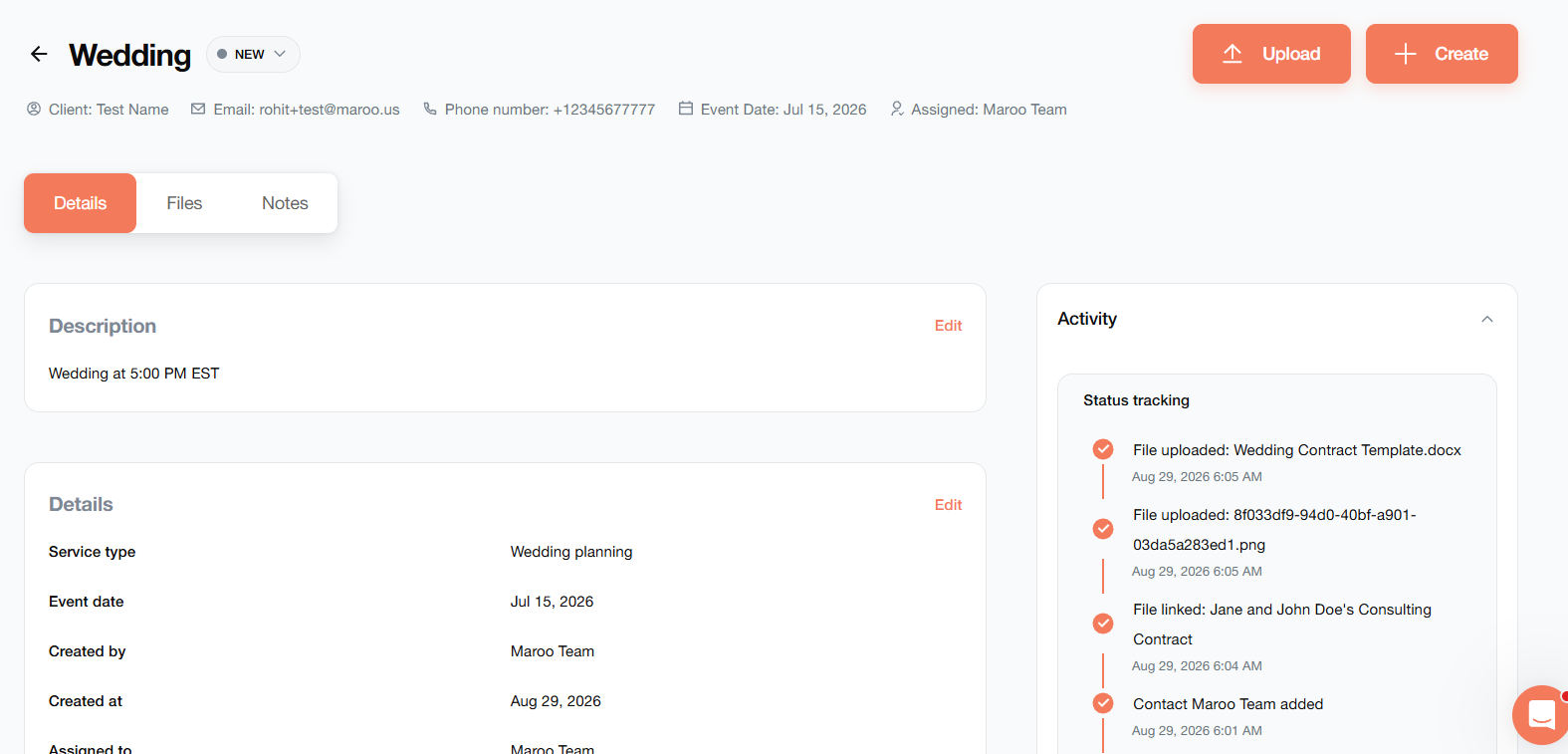
The project workspace, from Maroo’s project setup guide.
See project counts by stage, search for a client’s work, and filter your dashboard. Update progress as the work moves forward.
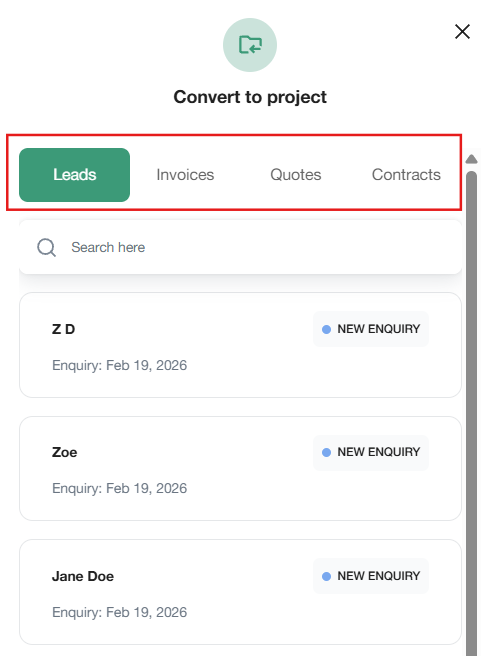
Start fresh, or build a project from an existing lead, invoice, quote or contract. Maroo carries over the client information so you can add the event details and get to work.
Use Create inside the workspace to add a quote, contract, invoice or questionnaire. Connect more items as the project grows.
Follow the project setup guideFrom a couple’s first inquiry to their final invoice, give each part of the booking a place in the same project.
The client, event details and assigned teammate stay at the center.
Capture inquiries with a lead form and assign a teammate to follow up. When you’re ready, create a project from the lead.
Explore LeadsLay out your services and pricing. Connect the quote to the project so the offer is easy to reference as plans take shape.
Send the agreement for an electronic signature. Keep the linked contract beside the quote, so your team can reference what the client agreed to.
Explore ContractsCollect preferences and event requirements with a questionnaire. Connect it to the project to keep those answers with your planning notes and files.
Create invoices from the project. Use Maroo’s online payments, payment schedules and reminders to give clients a clear way to pay.
Explore InvoicingConnect Gmail to send emails from a lead or project. Replies appear in Maroo when recipients use Reply All and keep the Maroo CC address.
See how Email worksCreate documents inside a project or link existing items as you go. They stay available in their original Maroo sections, with a shared view in Projects.
No. Begin with one eligible lead, invoice, quote or contract, then connect additional items after creating the project.
Yes. Linked items remain available in their original Maroo sections. Projects gives you another way to find the work for that client.
Each item can be linked to one project. An item already linked elsewhere will not appear as an eligible option.
Yes. Use Create to add a contract, quote, invoice or questionnaire from the project workspace.
Mark the project Completed. You can also archive it to remove it from active projects while keeping its information available.
One place for the client, the details and the work ahead.
Get started with Maroo